IMPORTANT: This insights section is only visible to Professional and Enterprise plan users.
Haven't tried yet Teamgate CRM? Sign up free for a trial version ici
TOP clients
An insights section that allows you to see your TOP clients in one place, those who bring the most profit to your business! Along with the list, we provide the total amount of deals made and their number.
Insights > Sales Results > TOP clients
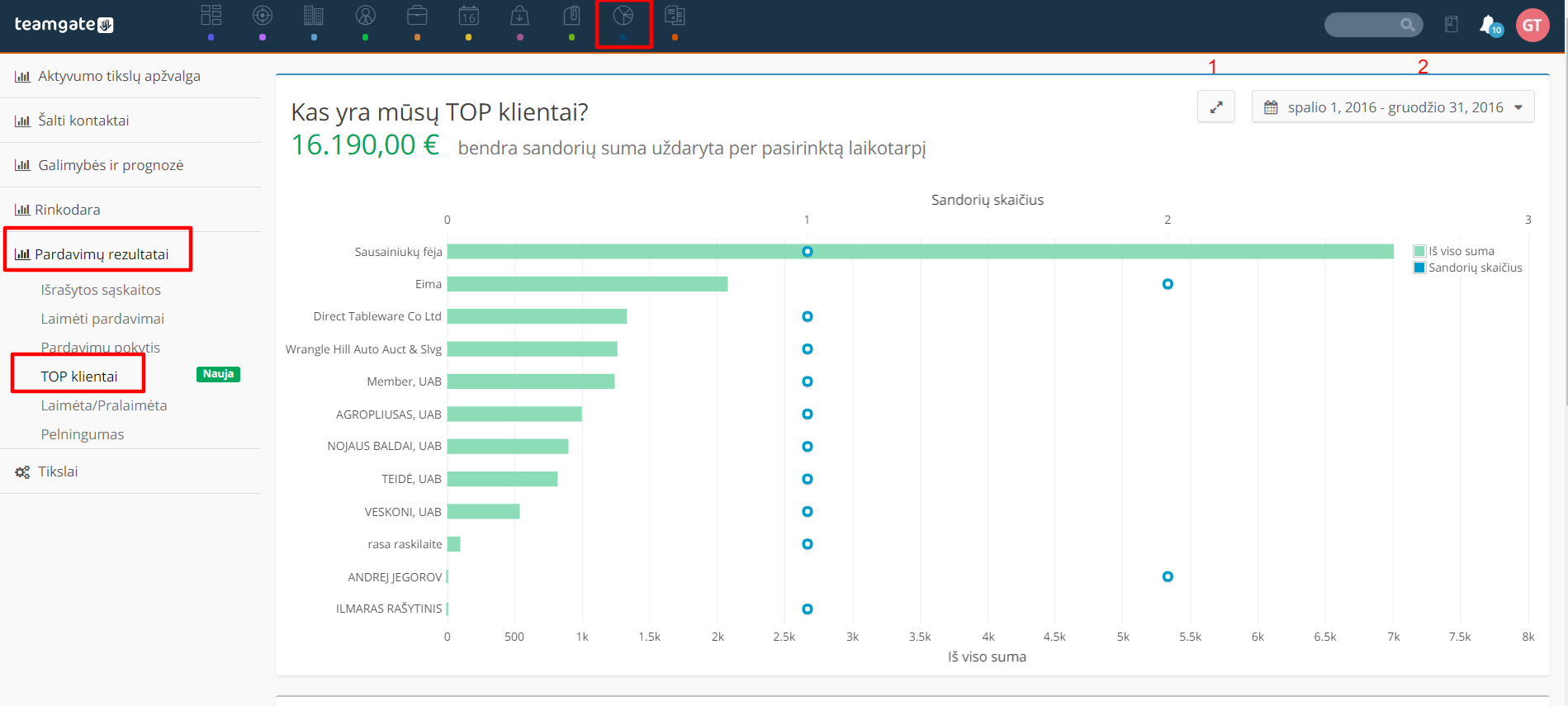
The chart displays clients in descending order with whom sales were won for the largest amount. Green color bar shows the total amount of all deals - by hovering your mouse cursor over this bar you will see the exact number. Blue colored circles mark the number of won sales.
- Number 1– marked icon allows you to open the chart window hiding the menus at the top and on the left. To return to the main page, click this icon again.
- Number 2– marked time filter. After selecting the time filter, click "Apply"
Below is presented TOP clients list, total number of deals with the client, average and total sales amounts.
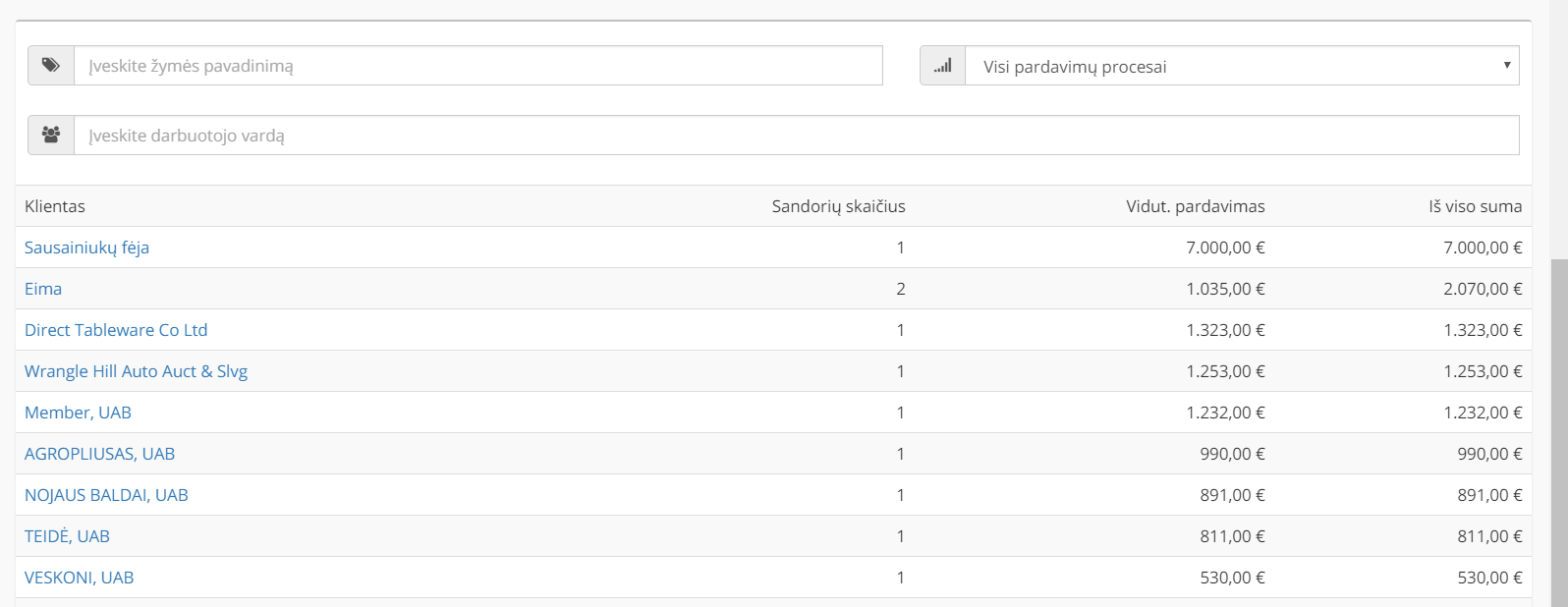
Also additional options to filter client lists by:Tags; Sales process; Employee.
By clicking on the client name, you will open the client / company card.
If you have any questions, write to us: [email protected]